Docs Topics
A Docs Topic is a sub-category within a Docs Space, used to further organize documents based on similar themes or projects. It acts as a virtual folder for grouping related pages.

How to Create a Topic
Click on
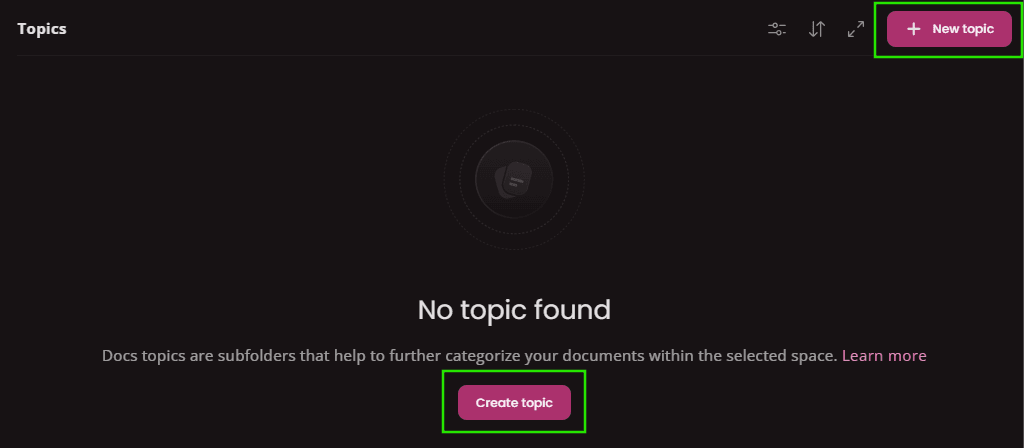
In opened window type Topic's name and confirm.

Your newly created topic will look like this ... Now you can start creating pages.

How to Edit Topic
To edit Topic's name click on
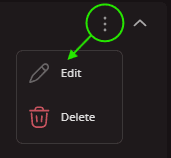
In opened window update the name and confirm.

How to Delete Topic
To delete a Topic click on
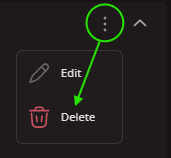
In opened window confirm the Deletion. Topics and their content are stored as inactive and can be eventually restored later.
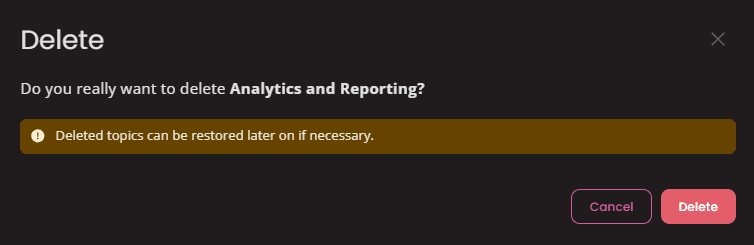
How to Restore Topic
First click on
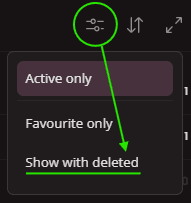
Find the topic you wish to restore a click on

Confirm the action in modal window to complete restoration.

Docs Pages
A Docs Page is the actual document within the Docs module. It contains the content, such as text, images, tables, or other media. Pages are the fundamental units of information within the system.
Reports
Every now and then, you need to create a set of reports on a project - for a stakeholder, for performance evaluation, or just to see the progress of your team's work. Here's how you do it with juno's Reports module.